LISTEN HERE
15 Sep 2026
The Hands-On Approach
Subscribe to CX E-News
We’ve spent decades making music production increasingly visual. Perhaps it’s time to remember that mixing is supposed to be something we hear.
It’s funny how quickly we can forget what we’re actually doing.
I’m sitting in front of Pro Tools right now, looking at a mix, and there they all are: the dozens of familiar waveforms and faders, meters, and rows of automation all buried under a random collection of open plug-ins. Somewhere amongst all this information is a song.
The modern DAW has become extraordinarily good at showing us what our audio is doing. We can see peaks, RMS levels, loudness, frequency content, phase relationships, gain reduction, automation and just about every other conceivable characteristic of a signal.
We can measure almost anything. And yet, when I’m mixing, I find myself increasingly wanting to look at less of it.
Not because the information isn’t useful. It is. And not because Pro Tools – my DAW of choice – is visually confusing. I think it’s without peer, frankly. That’s why I’ve used it for well over two decades.
It’s because sometimes I think we’ve confused seeing what’s happening with hearing what’s happening.
The Mouse Ain’t No Fader
There was a time when mixing meant putting your hands on physical controls. Virtual equipment that now exists almost entirely on screens was once physically all around you – the technology was, quite literally, immersive.
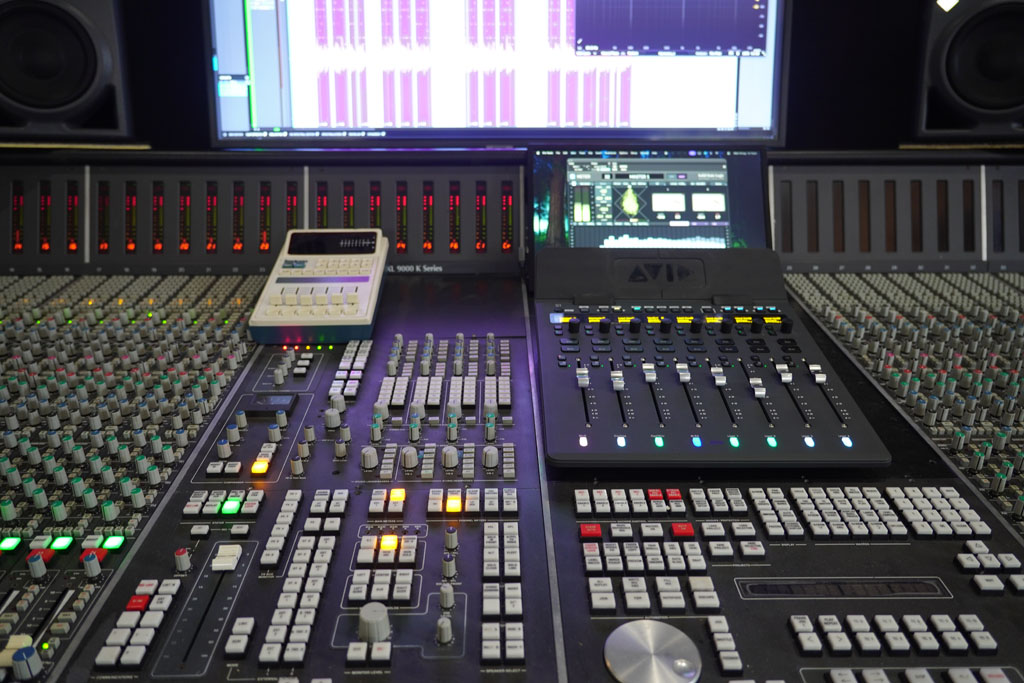
Somewhat extravagantly, some might say, I still inhabit a control room like that. At the heart of my studio is a K-Series SSL console, with faders spanning wider than my arms can reach. There’s also a fairly substantial collection of analogue outboard gear lurking over my right shoulder, including a number of pieces that have since become so revered that several companies have turned them into plug-ins – the Teletronix LA-2A, EL Distressor and Fatso Jr, 1073s, my Lexicon 480L, an AKG Spring, the Dimension D… even the fairly ‘modern’ Retro 176 compressor now has an amazing software equivalent courtesy of Relab.
But do I use all that hardware in 2026? Almost never… not all at once at least.
That isn’t because it suddenly stopped sounding good. It’s because Pro Tools has become very, very good – and continues to evolve alongside advances in computer technology.
And because, despite all the romanticism surrounding analogue equipment, there’s something wonderfully liberating about being able to recall an entire mix instantly, automate almost anything, and open a session months later without wondering which combination of knobs and switches I forgot to include in the recall.
I still love the SSL, don’t get me wrong, and I still love outboard… and I still use both. I just use them differently now.
And there’s an important distinction here.
I’m not arguing that everyone needs an analogue console. Far from it. Nor am I suggesting that we should all recreate some mythical 1990s studio or pretend that computers never existed.
I’m simply interested in what we lost when the physical mixing surface disappeared.
Because back when mixes were analogue, the information wasn’t concentrated inside a single screen. It was literally all around you. The console stretched out in front of you. Racks of processors surrounded you. Meters glowed. Knobs and switches occupied the walls. Patchbays, tape machines and monitoring systems were all part of the physical landscape of the control room.
It was information, certainly, but it was also immersive. You were surrounded by it, not peering into it.
And when the controls were physically there, you reached for them. You reached for a fader, moved it, listened, moved it again. If something needed to come up, you pushed it forward. If it needed to disappear, you pulled it back. Looking was barely a consideration – and indeed, I often mixed with my eyes shut!
There was no need to click on a channel first. No need to find the right automation lane. No need to zoom in. No need to look at the numerical value and decide whether -4.2dB was somehow more appropriate than -3.7. Your hands knew where the controls were and your ears told you where they needed to go. You could be bold with movements, and faders encouraged you to experiment quickly, sometimes with many sounds at once – a task that mouse-and-screen-based mixing setups frankly make impossible.
Then computers arrived and, quite rightly, we embraced them.
DAWs have since utterly transformed what we can do with recorded sound, and Pro Tools in particular has been at the heart of that revolution since it first stormed the studio. Editing sound became extraordinary, and reversible where necessary! Recall became trivial. Routing became almost infinitely flexible, and plug-ins gave us access to processing that would once have required racks of hardware and an alarming amount of money.
And the visual transformation has been rather spectacular too. When I first started using Pro Tools I was looking at a 14-inch, 4:3 CRT monitor (I think). These days I’m mixing in front of a 55-inch 4K flatscreen. That’s quite an upgrade, although I’m not entirely convinced it’s helped me listen any better.
Somewhere along the way, the mouse quietly became our mixing console, and while a mouse is a wonderful thing, it’s just not a fader, or a pan pot, or any of the myriad other controls that once surrounded us in a studio. Which is precisely why I now use something physical to control Pro Tools – because Pro Tools has replaced so much of what once filled our control rooms.
Hands On
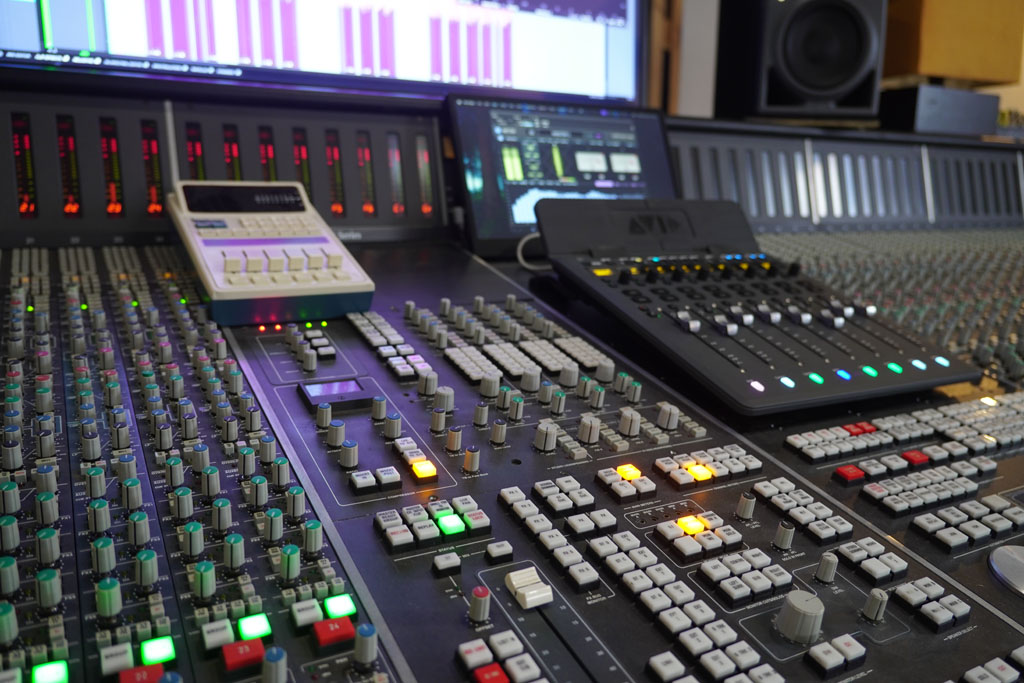
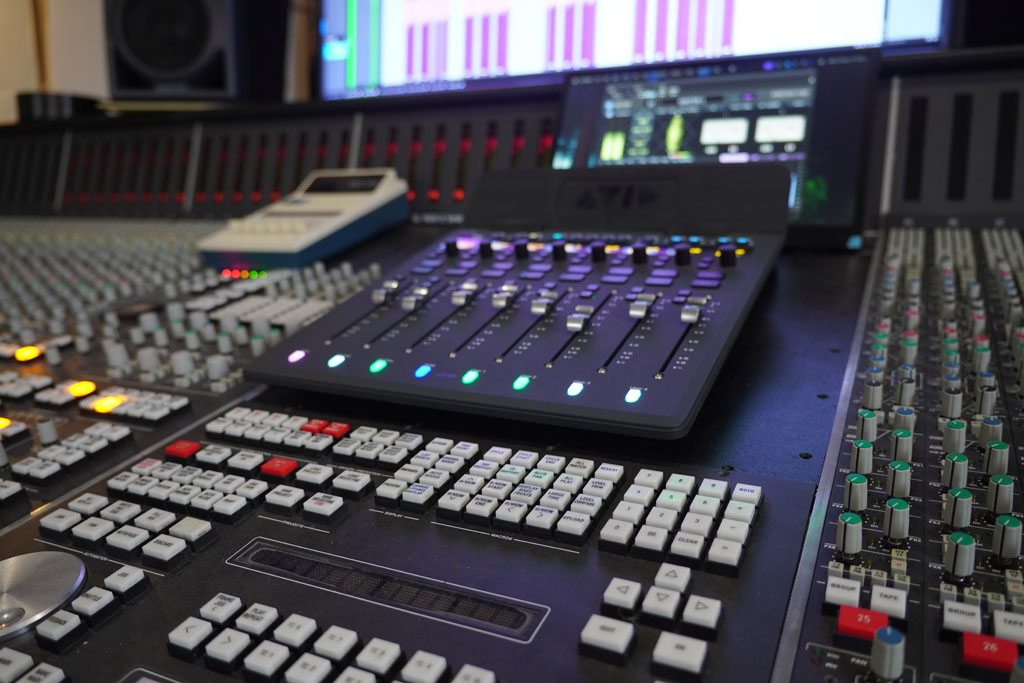
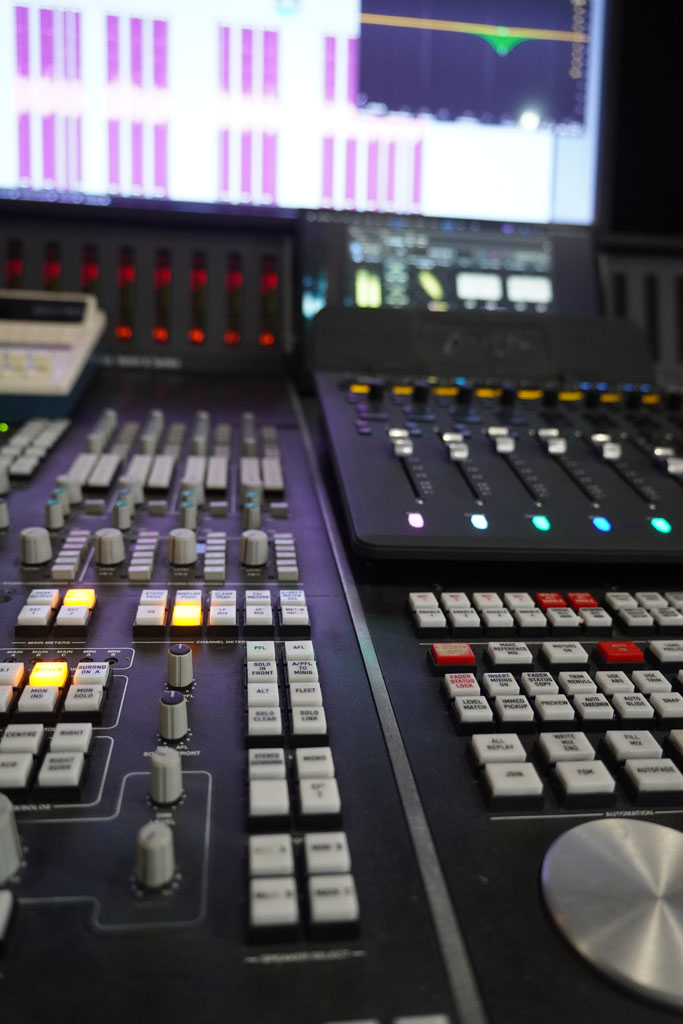
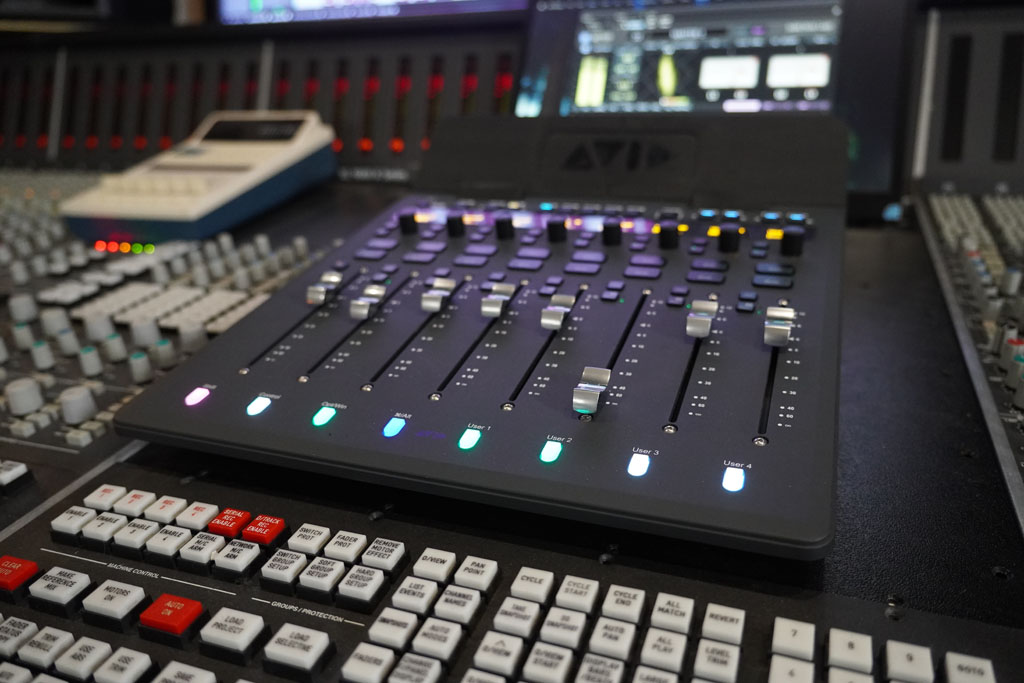
I currently have an Avid S1 control surface setup in my studio quite literally on top of my SSL, although it’s certainly not there because I’ve abandoned the SSL, or analogue recording and mixing more generally. The S1 simply gives me another way of controlling sound physically, and that physical option becomes particularly valuable when I want to stop looking at the screen and simply listen to the mix.
That might sound slightly odd given the amount of analogue hardware sitting around me. But the more I work with Pro Tools, the more I realise that the issue isn’t whether the audio is travelling through an analogue console or remaining inside the computer. The issue is how I interact with it.
The S1 doesn’t make Pro Tools more powerful, per se – it’s already more powerful than most of us will ever need it to be. Nor does it somehow turn a computer into an analogue console. It doesn’t, and I’m not sure it should. And certainly it’s not the case that physical faders are inherently better than pixels. They aren’t.
The interesting thing about a controller like the S1 is that it puts your hands back into the process, and that definitely matters. Moreover it allows you to be a more creative mixer, and a more intuitive listener.
In a nutshell, an S1 gives Pro Tools a tangible presence beyond the screen. Its motorised, touch-sensitive faders and customisable controls respond to what’s happening in the session, while EUCON integration lets the controller interact deeply with Pro Tools rather than simply behaving like a collection of generic MIDI knobs. The OLED displays and Avid Control software complete the picture, giving you the visual feedback you need as you work.
So you get the best of both worlds, theoretically: the enormous flexibility of the Pro Tools environment, and something you can actually touch.
For me, this combination has quickly become less of a luxury and more of a fundamental part of my workflow. If you work entirely inside Pro Tools, an S1 can simply provide something that the computer itself doesn’t: a set of physical controls that respond directly to your hands.
That’s the bit I’m interested in.
Look Away
One of my favourite things about having physical faders is that I don’t necessarily have to look at them. That might sound strange. Surely the point of all those lovely displays is that I can see what I’m doing, right? Well, yes. But I don’t always want to.
If I’m riding a vocal, I want to listen to the vocal. If I’m balancing a snare against a guitar, I want to listen to the snare and guitar. If the chorus needs to lift, I want to hear the chorus lift. I don’t necessarily need to know that I’ve moved the vocal from -5.8dB to -4.3. In fact, sometimes I’d rather not know. Because the moment I know the number, I can start thinking about the number. And numbers are strangely persuasive.
We see a meter approaching the top of its scale and instinctively think: “That’s too loud.”
We see a waveform that looks enormous and assume: “That’s going to be loud.”
We see a vocal sitting at -2dB and a guitar sitting at -11dB and start wondering whether those numbers are somehow out of balance with one another.
But audio doesn’t care, and the listener certainly doesn’t. In fact, listeners never see numbers – they only hear the song. Imagine that!
The numbers tell us something. They just don’t tell us everything.
Switching Off
There’s another crude trick I’ve used for years when I really want to listen.
I turn the screen off.
Not because there’s anything wrong with the screen. Quite the opposite. But sometimes I want to sit in the dark with nothing glowing in front of me and simply listen to the speakers.
I’m convinced that the light coming from a huge screen changes the way we listen, even if only psychologically. When there’s a bright rectangle full of information sitting in front of you, it’s remarkably difficult not to look at it.
Turn it off and suddenly the room changes. The mix seems to occupy a different space. But the problem then, of course, is that once the screen disappears, so does almost every control! The mouse becomes useless. The plug-ins disappear and the faders become pixels somewhere inside a black rectangle.
You’re left with a space bar – Stop. Start. That’s not exactly what I mean by hands-on mixing.
And this, for me, as a Pro Tools user, is another reason why the S1 is important to my workflow, not just a gratuitous addition.
The ability to turn the screen off and still have physical control over the mix shouldn’t be an either/or proposition.
I don’t want to sacrifice the extraordinary information and flexibility of the computer in order to listen properly. I simply don’t want my desire to stop looking at the computer to reduce my control over the music to a space bar marked “Play/Stop”.
The S1 gives me a way out of that trap.
I can look when I need to… and then I can look away.
Meters Measure. Ears & Minds Judge
This distinction seems increasingly important in a world where almost every aspect of audio can now be visualised.
Meters measure, but your ears and mind make the real judgement calls.
That doesn’t mean meters are bad. On the contrary, they’re essential.
I want to know if I’m clipping something. I want to know if there’s a technical problem. I want to understand the dynamic behaviour of a signal. I want visual confirmation when I’m troubleshooting something that my ears have identified as suspicious.
But I don’t want a meter telling me how the music should feel. That’s MY job.
The Numbers Game
There’s another reason I like not knowing exactly where a fader is. It forces me to think relatively.
Instead of thinking, “The vocal is at -4dB,” I’m thinking, “The vocal needs to come up a little.”
Instead of, “The guitars are at -7.2dB,” I’m thinking, “They’re getting in the way of the vocal.”
Instead of, “The chorus is 1.5dB louder than the verse,” I’m thinking, “The chorus doesn’t feel like it has arrived yet.”
These are musical decisions. The numbers are merely a reflection of my actions, not arbiters of them.
This becomes particularly useful when setting an initial balance. There’s something wonderfully crude about putting your hands on a collection of faders and simply asking: does this feel right? No analyser, no waveform, no plug-in window. Just speakers, ears and hands.
You can always open the analyser afterwards and check the meters. But once you’ve allowed your eyes to start making the decisions for you, it can be surprisingly difficult to get them out of the room.
The Console That Disappeared
Perhaps what I find most interesting about Avid’s now well-established S1 controller – and others like it that control rival DAWs – is that it brings something back into the digital workflow that we perhaps didn’t realise we’d lost.
Not analogue sound, or indeed even the versatility of an analogue console as a central command and control hub… but rather our physical interaction with music.
Digital audio has solved an enormous number of problems. I like the effortless recall. I like being able to automate everything. I like being able to open a session years later and have everything exactly where I left it. I like the extraordinary flexibility of working inside a DAW.
What I don’t want to lose in exchange for all that convenience is the physical relationship between me and the mix.
When I’m working on the SSL, the controls surround me. I don’t have to look at a screen to find them, and I don’t have to think about where they are. My hands know where to go, and my ears tell them what to do.
The S1 doesn’t recreate that experience, and I don’t think it needs to. My SSL provides that physical relationship with analogue audio. The S1 provides it with Pro Tools.
And I rather like having both.
The SSL and the S1 aren’t competing with each other either. They’re solving different problems. One is an analogue console with its own circuitry, signal path, sound and physical interaction with the audio. The other is a control surface for an extraordinarily sophisticated digital environment.
The point isn’t that one is better. The point is that when I’m working in Pro Tools, I still want my hands involved.
And I suspect I’m not alone.
Hand-Ear Coordination
There’s another interesting thing that happens when you start using physical faders again.
Automation as a performance returns.
Instead of drawing a line on a screen, you can ride the vocal, push the chorus or pull the guitars back during the verse. You can make a reverb bloom at the end of a phrase, responding to the music while it’s happening, like some of us do live from front-of-house. And let’s face it – all that is very hard to do with a mouse. Just try adjusting two or three different fader levels at once with a mouse and see how you go… with the screen off.
Perhaps that’s why experienced engineers can sometimes produce surprisingly complex automation with apparently very simple movements. They aren’t necessarily thinking about every individual parameter. They’re just listening.
The hand follows the ear and the ear follows the music.
It’s one of the things I find most satisfying about mixing this way.
The software may be doing an enormous amount of work behind the scenes, but the decisions are aural… and physical. They’re not visual.
I move something, I hear something, I respond… that’s mixing.
But none of this is an argument for throwing away the screen. That would be ridiculous. The screen is brilliant and I use it constantly. And of course I want to see what’s happening. I want to edit. I want to inspect automation. I want to check routing. I want to look at plug-ins. I want to diagnose problems.
But I don’t want to spend entire mix sessions looking at the screen if I can avoid it. There’s a subtle but important difference here.
The screen should be available to me, but shouldn’t necessarily be in charge of me.
When we mix with our eyes the danger is that we can end up correcting things that weren’t actually problems. Sometimes a frequency peak is the character of an instrument. Sometimes a transient that looks ridiculous is exactly what makes a snare exciting. Sometimes a vocal meter is jumping all over the place because the singer is actually singing.
And sometimes the right fader position is the one that sounds right, regardless of what the number says. That’s the point of having ears, and a mind connected to them. They’re not just another measurement device. They’re the reason we’re doing this in the first place.
Perhaps that’s why I think hardware control remains relevant in 2026.
Not because analogue consoles were somehow perfect – they weren’t. Not because computers have somehow ruined recording. They haven’t. And not because every engineer needs an S1. They don’t. It’s because the physical interface between a human being and a piece of music still matters, and a mouse and keyboard alone are poor replacements for a mixing console – analogue or digital – simply because they insist on the presence of a screen at all times.
And perhaps that last part is the most important. Because when I’m mixing, I don’t really want to see the music all the time. Occasionally I want to hear it with a black void between the speakers, and only listen to the sonic changes taking place under my hands.
I want to hear when the vocal is too loud. I want to hear when the bass has disappeared.
I want to sense the chorus arriving without looking for confirmation of it in the waveforms and automation cues. I want to push a fader and hear the song change.
Then, if I’m curious, I can look at the screen and find out what I just did.
That feels like the right order. Listen, decide, move. Then look. Not the other way around.
Because for all the extraordinary things modern technology can show us, there remains one thing it still can’t replace.
Listening.
Thankfully, that’s still our job. We just have to remember to do it.
Andy Stewart owns and operates The Mill in Victoria, a world-class production, mixing and mastering facility. He’s happy to respond to any pleas for pro audio help… contact him at: andy@themill.net.au
Subscribe
Published monthly since 1991, our famous AV industry magazine is free for download or pay for print. Subscribers also receive CX News, our free weekly email with the latest industry news and jobs.